$

Amount: $0.00
The average rating is 4.16/5, for null votes.
Rating star - 0
Rating star - 1
Rating star - 2
Rating star - 3
Rating star - 4

(No Ratings Yet)

What Is an Invoice?

An invoice is a formal, legally recognized document issued by a seller to a buyer requesting payment for goods delivered or services rendered. It’s far more than a simple bill — it’s a binding financial record that serves multiple purposes at once:

  • A legal document establishing the terms and amount of a transaction
  • A cash flow tool that sets clear expectations for when you’ll be paid
  • A bookkeeping record supporting accurate financial statements and tax filings
  • A dispute-resolution instrument providing written evidence if a payment conflict arises

Whether you’re a freelance graphic designer invoicing your first client, a plumber billing a residential job, or a small business owner managing dozens of monthly accounts, creating clear, professional, timely invoices is one of the most important financial skills you can build.

Why Invoicing Matters: The Real Numbers

Poor invoicing isn’t just an administrative headache — it’s a genuine business risk. The data makes this hard to ignore.

Late Payment Statistics (2025)

Metric Statistic Source
U.S. small businesses currently owed money 56% Intuit QuickBooks, 2025
Average outstanding owed per small business $17,500 Intuit QuickBooks, 2025
Invoices overdue by 30+ days 47% Intuit QuickBooks, 2025
B2B invoices overdue globally (2024) 50%+ Allianz Trade, 2024
Average annual cost of late payments per company $39,406 Gateway Commercial Finance, 2025
Late payments caused by invoice errors 61% Amalto, 2025
Freelancers who have been paid late at least once 85% Remote, 2025
Small businesses that fail due to cash flow issues 82% U.S. Chamber of Commerce
Construction & trades: average collection period 67 days Credit Management News Digest, Oct. 2025
Professional services: average payment time 52 days Credit Management News Digest, Oct. 2025

Nearly two-thirds of all late payments trace back to errors or unclear information on the invoice itself.[4] Getting your invoices right is the single highest-leverage action you can take to get paid faster.

What Every Invoice Must Include

A legally valid, professional invoice needs the following components. Missing even one can delay payment or invalidate your invoice as an official business record.

Required Invoice Elements

Element Description Example
Invoice Label Must clearly say “Invoice” at the top INVOICE
Your Business Info Name, address, phone, email, logo Jane Smith Design / 123 Main St
Client Information Client name, company, address, contact Acme Corp / Attn: Accounts Payable
Invoice Number Unique sequential identifier INV-2025-047
Issue Date Date the invoice was created March 15, 2025
Due Date / Payment Terms When payment is expected Due April 14, 2025 (Net 30)
Itemized Line Items Each product or service listed separately Logo Design – 8 hrs @ $95/hr
Subtotal Sum of all line items before taxes/fees $760.00
Taxes & Fees Applicable sales tax, VAT, etc. $53.20 (7% sales tax)
Discounts Any early-pay or volume discounts applied -$38.00 (5% early pay)
Total Amount Due Final amount owed, prominently displayed $775.20
Accepted Payment Methods How the client can pay ACH, credit card, check, PayPal
Notes / Special Terms Late fees, project scope reference, thank-you 1.5%/mo late fee after due date

How to Create an Invoice: Step-by-Step

Step 1: Choose Your Invoicing Method

Not all invoicing methods are created equal. Here’s how the main options stack up:

Method Best For Pros Cons
Invoicing Software (e.g., Invoice Maker) All business types Fast, professional, auto-numbering, payment tracking Monthly cost
Word / Google Docs Template Occasional invoicing Free, simple Manual, error-prone, no tracking
Excel / Google Sheets Those comfortable with spreadsheets Good for calculations Still manual, clunky to send
Accounting Software (QuickBooks, Wave) Businesses needing full bookkeeping Integrated with accounting Overkill for basic invoicing
Paper Invoices Trades / in-person service businesses Tangible, no tech required Slow, no confirmation, hard to track

For any business sending more than a handful of invoices per month, dedicated invoicing software like Invoice Maker pays for itself almost immediately in time saved and faster payments.

Step 2: Fill In Your Business Information

Start with your business identity at the top of every invoice:

  • Business name (or your full name if freelancing)
  • Your logo (adds real professionalism — clients are measurably more likely to pay faster)
  • Address
  • Phone number
  • Email address
  • Website (optional but recommended)

If you are a registered business, include your EIN (Employer Identification Number). International sellers may also need to include a VAT number or GST/HST number depending on jurisdiction.

Step 3: Add Client Details

Directly below your information, include your client’s:

  • Full name or company name
  • Billing address
  • Contact name (especially important for larger companies — make sure it’s going to the right person or department)
  • Email address
  • Phone number (optional)

Pro tip: For larger clients or government contracts, ask for a purchase order (PO) number upfront. Many accounts payable departments won’t process an invoice without one.

Step 4: Assign a Unique Invoice Number

Every invoice needs a unique invoice number. This prevents duplicates, makes tracking effortless, and is required for proper bookkeeping. Common formats include:

  • Sequential: 001, 002, 003 — simple, works well for low-volume businesses
  • Date-based: 2025-03-001 — easy to sort chronologically
  • Client-based: 2025-ACME-001 — useful when managing many clients
  • Combined: INV-2025-ClientName-001 — the most robust option

Pick a system and stick with it from day one.

Step 5: Set the Issue Date and Due Date

  • Issue date: The date you’re creating and sending the invoice.
  • Due date: The date payment is expected. Commonly expressed as Net 15, Net 30, or Due on Receipt (see the Payment Terms section below).

Setting a clear, explicit due date — rather than just writing “Net 30” — meaningfully increases on-time payment rates. Write it out in full: “Payment due: April 14, 2025.”

Step 6: Itemize Your Products or Services

This is the heart of the invoice. Never lump everything into a single line item. For each deliverable, include:

  1. Description — Be specific. “Website redesign – 20 hours @ $75/hr” is far better than “web work.”
  2. Quantity or hours
  3. Unit price / hourly rate
  4. Line total
  5. Any reimbursable expenses (mileage, materials, software, etc.) on their own line items

Example line item table:

Description Qty / Hrs Unit Price Total
Brand strategy consultation 3 hrs $150.00 $450.00
Logo design (3 concepts + revisions) 1 $600.00 $600.00
Business card design 1 $150.00 $150.00
Stock photo licensing (reimbursable) 1 $49.00 $49.00
Subtotal $1,249.00
Sales tax (7%) $87.43
Early pay discount (5%) -$62.45
Total Due $1,273.98

Step 7: Calculate Totals, Taxes, and Discounts

  • Add up all line items to reach your subtotal
  • Apply applicable sales tax or VAT — rates vary by state, country, and service type
  • List any discounts (early payment, volume, loyalty) as a line item with a negative value
  • Display the final total due prominently — make it impossible to miss

Invoicing software handles all calculations automatically. Manual math errors are one of the most common causes of disputed invoices, so this alone is worth the upgrade.

Step 8: Specify Payment Terms and Methods

Spell out exactly how and when you expect to be paid:

  • Due date (written as a full calendar date, not just “Net 30”)
  • Accepted payment methods: ACH/bank transfer, credit card, check, PayPal, Venmo, Zelle, etc.
  • Late fees: e.g., “A 1.5% monthly fee will be applied to balances unpaid after the due date.”
  • Early payment incentive: e.g., “2% discount if paid within 10 days.”
  • Payment instructions: bank details, a payment link, or mailing address for checks

One more thing worth knowing: invoices accompanied by a polite, courteous cover email are 12% more likely to be paid within a week.[8] The tone of your outreach matters.

Step 9: Add Notes and a Personal Touch

The notes section is one of the most underused parts of an invoice. Put it to work:

  • Reference the project agreement or contract
  • Include specific bank transfer instructions
  • Add a simple thank-you (“Thank you for your business!”)
  • Note any upcoming work or next steps
  • Call out your late fee policy

A simple “Thank you — it’s a pleasure working with you” can meaningfully improve both client relationships and payment speed. Don’t skip it.

Step 10: Review, Export as PDF, and Send

Before you hit send, run through this checklist:

  • ✅ All math is correct
  • ✅ Client name and address are accurate
  • ✅ Invoice number is unique
  • ✅ Due date is clearly stated
  • ✅ Payment details are complete and accurate

Always export as a PDF — it preserves your formatting across every device and email client. Attach it to a professional email with a clear subject line:

Invoice #2025-047 — Brand Design Project — Due April 14, 2025

Types of Invoices

Not all invoices are created equal. Understanding which type fits your situation can protect you legally and financially — and signal to clients that you mean business.

Invoice Types at a Glance

Invoice Type When to Use Who Uses It
Standard Invoice Completed work or delivered goods — the default All businesses
Pro Forma Invoice Before work begins; provides cost estimate, not a payment request Service providers, international sellers
Recurring Invoice Same amount billed on a regular schedule SaaS, subscription services, retainer clients
Progress / Interim Invoice Milestone billing on large, multi-phase projects Contractors, construction, consultants
Final Invoice Last invoice upon project completion; may reference prior progress invoices Project-based businesses
Credit Invoice (Credit Memo) Issuing a refund, correction, or discount — always a negative total Any business correcting a prior invoice
Debit Invoice (Debit Note) Increasing the amount owed (e.g., additional hours discovered) Consultants, hourly service providers
Commercial Invoice International shipments — required for customs clearance Importers, exporters, international sellers
Timesheet Invoice Billing based on logged hours and hourly rate Freelancers, lawyers, consultants
Retainer Invoice Advance payment collected before work begins Attorneys, marketing agencies, consultants
Consolidated Invoice Combines multiple smaller invoices into one B2B relationships with frequent small transactions
Past-Due Invoice Resent invoice noting overdue status, often with late fee added Any business following up on unpaid invoices
Expense Report Invoice Employee reimbursement for business-related expenses Corporations, agencies

Choosing the Right Invoice Type

Use a Pro Forma Invoice when:

  • You need client approval before beginning work
  • You’re quoting a large custom project
  • Your client needs budget authorization from multiple stakeholders
  • You’re beginning an international shipment and need a customs estimate

Use a Progress/Interim Invoice when:

  • A project spans weeks or months
  • You want to protect your cash flow on large contracts
  • The contract specifies milestone-based payments (e.g., 30% deposit, 40% at midpoint, 30% on delivery)

Use a Recurring Invoice when:

  • You charge the same amount monthly or quarterly
  • You manage retainer clients
  • You offer subscription-based services

Invoicing by Service Type

Different industries have different norms, timelines, and expectations around invoicing. Here’s what you need to know for the most common service types.

Freelancers & Creative Professionals

Key considerations:

  • Charge a deposit (typically 25–50%) upfront using a pro forma or retainer invoice before starting any project
  • Define scope clearly in line items to prevent scope creep disputes
  • Specify revision limits: “Includes up to 2 rounds of revisions”
  • Use Net 14 or Net 15 terms — freelancers should not offer Net 30 as a default
  • Include a kill fee clause reference for projects cancelled mid-way

Recommended invoice types: Standard, Pro Forma, Progress, Final

Contractors & Trades (Plumbing, Electrical, HVAC, Landscaping, etc.)

Key considerations:

  • Always collect a deposit before material procurement
  • Use progress invoices for jobs exceeding one day of work
  • Itemize materials separately from labor — clients and accountants both appreciate the transparency
  • Reference permit numbers or work order numbers on the invoice
  • Include lien waiver language if applicable in your state
  • Construction and trades have the longest average collection period (67 days)[7] — clear late fee terms are essential

Recommended invoice types: Pro Forma (estimate), Progress, Final, Past-Due

Sample trades line item structure:

Description Qty Unit Total
Labor – plumbing installation 6 hrs @ $95 $570.00
Materials – copper fittings (itemized) 1 lot $213.40
Materials – main shutoff valve 1 unit $87.50
Permit fee (reimbursable) 1 $75.00
Subtotal $945.90

Consultants & Professional Services

Key considerations:

  • Use retainer invoices to lock in consistent cash flow before work begins
  • Time-track meticulously — invoice disputes often arise from vague hour descriptions
  • Include a reference to your consulting agreement or Statement of Work (SOW)
  • For ongoing engagements, consider consolidated monthly invoices
  • Professional services average 52 days to payment[7] — establish clear late fee terms from the start

Recommended invoice types: Retainer, Timesheet, Recurring, Standard

Small Business Product Sellers

Key considerations:

  • Include item SKU or product code for easy inventory reconciliation
  • Reference purchase order numbers
  • Specify shipping terms (FOB, delivered, etc.) and when title passes to the buyer
  • For international sales, use a commercial invoice with full customs details (HS codes, country of origin, declared value)
  • Offer multiple payment methods — reducing friction at checkout accelerates payment

Recommended invoice types: Standard, Commercial (international), Consolidated

SaaS & Subscription Businesses

Key considerations:

  • Automate recurring invoices entirely — manual billing at scale is error-prone and unsustainable
  • Align invoice dates with billing cycle (monthly, quarterly, annual)
  • Show the subscription period clearly: “March 1, 2025 – March 31, 2025”
  • Prorate partial months on a line item — don’t bury it in a footnote
  • Send invoices at least 3–5 days before automatic charges to reduce chargebacks

Recommended invoice types: Recurring, Credit/Debit Memo (for adjustments)

Payment Terms Explained

Payment terms define when you expect to be paid — and they have a direct, measurable impact on your cash flow.

Common Payment Terms

Term Meaning Best Used When
Due on Receipt Payment expected immediately upon receiving invoice Small projects, new clients, high-trust transactions
Net 7 Payment due 7 days from invoice date Freelancers, small jobs
Net 14 Payment due 14 days from invoice date Service businesses, standard projects
Net 30 Payment due 30 days from invoice date Established B2B relationships, larger companies
Net 60 / Net 90 Payment due 60 or 90 days from invoice date Large enterprise clients, government contracts
2/10 Net 30 2% discount if paid within 10 days; full amount due in 30 Incentivizing faster payment from established clients
50% Deposit + Net 30 Half upfront, half within 30 days of delivery Large projects, new client relationships
EOM (End of Month) Payment due at the end of the month the invoice is issued Certain industries and established B2B accounts

Businesses that default to Net 30 or longer are significantly more likely to report cash flow problems.[1] Where possible, push for shorter terms — most clients will accept Net 14 or Net 15 if you simply ask.

How to Send an Invoice

Email (Recommended)

Email is the fastest, most trackable invoicing method. A few best practices to follow every time:

  • Subject line: Invoice #[Number] – [Project/Service Name] – Due [Date]
  • Body: Brief, professional, and warm. Include the amount due and due date in the email body — don’t make the client open the attachment to find that information.
  • Attachment: PDF format. PDFs preserve formatting across all devices and email clients.
  • Read receipts: Enable if your email client supports it; alternatively, use invoicing software with built-in open tracking.

Sample invoice email:

Subject: Invoice #2025-047 – Brand Design Project – Due April 14, 2025

Hi [Client Name],

Please find attached Invoice #2025-047 for the brand design project, totaling $1,273.98 and due April 14, 2025.

Payment can be made via ACH transfer, credit card (link below), or check. Please don’t hesitate to reach out with any questions.

Thank you — it’s been a pleasure working with you!

[Your Name]

Invoice Maker’s Online Payment Link

With Invoice Maker, every invoice can include a payment link — allowing clients to pay directly by credit card or ACH without any friction. This alone typically cuts average payment time by 5–10 days compared to check-only invoicing.

Paper Invoices

For trades professionals delivering work in person, a printed invoice handed directly to the client is still common and entirely appropriate. If you go this route:

  • Keep a carbon copy or photograph the invoice before handing it over
  • Follow up by email to confirm receipt
  • Track all paper invoices in a master log or software dashboard

How to Follow Up on Unpaid Invoices

Even the best invoice occasionally goes unpaid. A structured follow-up process protects your cash flow without damaging client relationships.

Follow-Up Timeline

Timing Action
3 days before due date Send a friendly payment reminder
On the due date Send a brief, courteous payment confirmation request
3–5 days after due date First follow-up: polite but clear. Note the late fee if applicable.
14 days past due Second follow-up: more direct, offer to address any disputes
30 days past due Third follow-up: formal demand letter; consider offering a payment plan
60+ days past due Consider a collections agency, invoice factoring, or small claims court

Follow-Up Tips

  • Don’t avoid it. 60% of business owners say they avoid confronting clients over late invoices out of fear of damaging the relationship — but silence costs more in the long run.
  • Reference the invoice number in every follow-up so there’s no confusion.
  • Offer to resolve disputes proactively — many delayed payments stem from a question the client never asked.
  • Use Invoice Maker’s automatic reminders to handle the 3-day-before and on-due-date touchpoints without any manual effort.

Invoice Best Practices

10 Habits That Get You Paid Faster

  1. Invoice immediately. Send your invoice the same day work is delivered. Waiting even a week significantly reduces on-time payment rates.
  2. Use a consistent numbering system. Sequential invoice numbers create an auditable trail and make tracking effortless.
  3. Use plain language in line item descriptions. “SEO content writing — 5 blog posts, 1,200 words each @ $120/post” is clearer than “content services.”
  4. Set a shorter default payment term. Switch from Net 30 to Net 14 as your standard. Most clients will accept it without pushback.
  5. Include a payment link. Reducing the number of steps a client has to take to pay you is one of the highest-leverage improvements you can make to your invoicing.
  6. Automate recurring invoices. If you bill any client the same amount on a schedule, automate it entirely.
  7. Maintain a central invoice dashboard. Know the status of every invoice — sent, viewed, due, overdue, paid — at a glance.
  8. Keep records for at least 7 years. The IRS minimum is 3 years, but many professionals extend to 7 years to cover extended audit windows.
  9. Apply late fees consistently. State your late fee policy on every invoice and enforce it. Inconsistency trains clients to pay late.
  10. Personalize your invoices with your brand. Your logo, brand colors, and professional formatting signal that you run a serious business — and clients pay serious businesses faster.

Common Invoicing Mistakes to Avoid

Mistake Why It Costs You Fix
Vague or missing line item descriptions Triggers disputes and delays Be specific — describe exactly what was delivered
Forgetting to include a due date Clients default to “whenever” Always include a specific calendar date
No late fee policy No incentive to pay on time Add a 1.5%/month late fee clause
Sending in a format other than PDF Formatting breaks on different devices Always export and send as PDF
Skipping invoice numbers Chaos in bookkeeping and tax prep Use consistent sequential numbering from day one
Offering Net 60 or Net 90 by default Ties up your cash flow for months Start with Net 14 or Net 15 for most clients
Bundling everything into one line item Makes auditing and disputes difficult Itemize every product, service, and expense
Not following up on overdue invoices Overdue invoices not addressed within 30 days have a high chance of never being paid Use automated reminders and a defined follow-up process
Not keeping backup copies One corrupted file and your records are gone Store digital invoices with automatic cloud backup
Sending to the wrong contact Gets lost or ignored; can delay payment indefinitely Confirm the billing contact before sending your first invoice

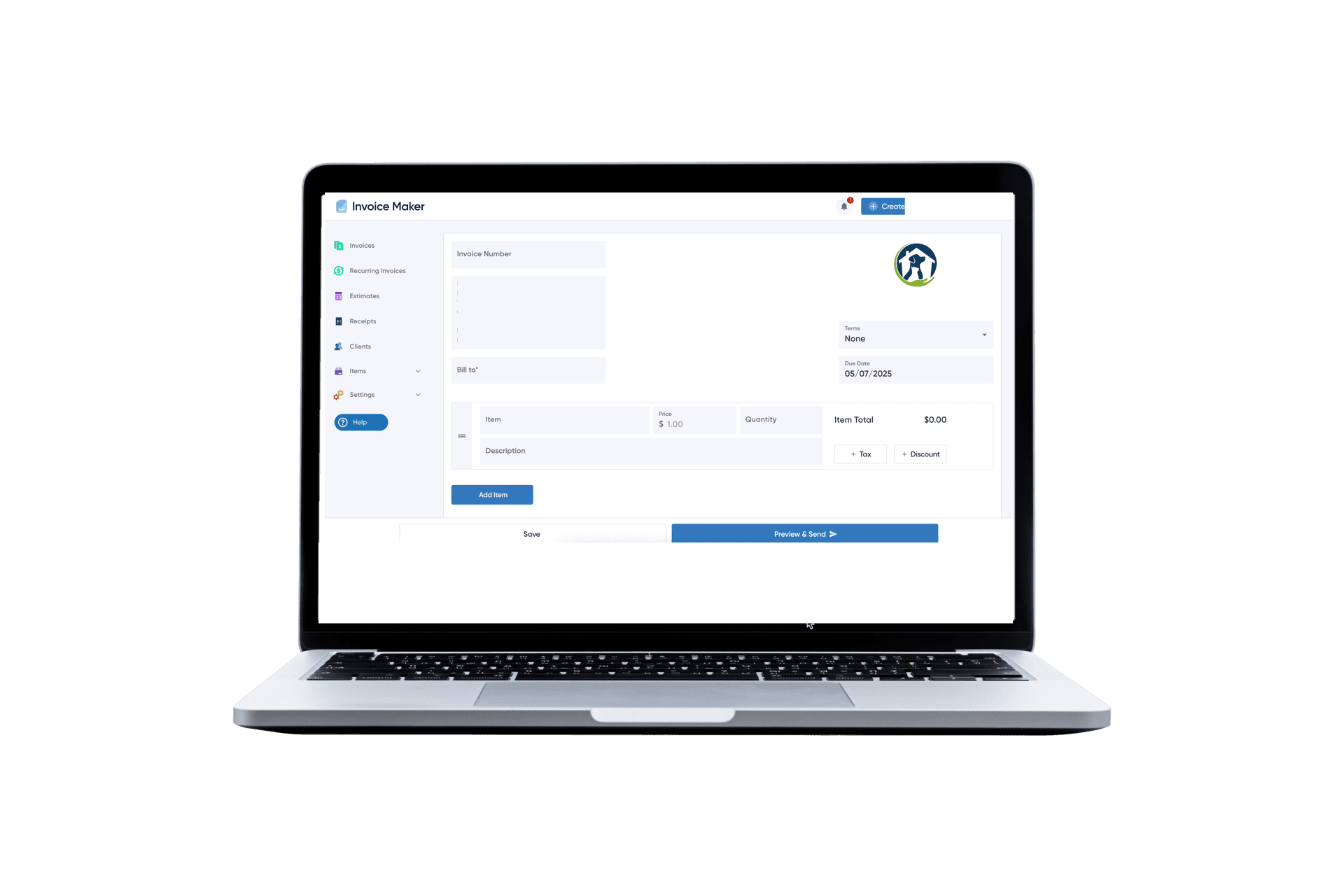
Invoice Maker: Create Your First Invoice in Minutes

Invoice Maker is built for exactly the kind of business owners and independent professionals described in this guide. With Invoice Maker, you can:

  • Create professional, branded invoices in under 2 minutes
  • Send invoices directly from the app via email with built-in open tracking
  • Accept payments online by credit card, ACH, and more
  • Set up recurring invoices for retainer clients and subscriptions
  • Track every invoice — sent, viewed, due, paid, and overdue — from one dashboard
  • Automate payment reminders so you never have to manually chase a payment again
  • Generate reports on outstanding receivables, payment history, and revenue by client

Whether you’re a freelancer sending your first invoice or a growing business managing hundreds of accounts, Invoice Maker scales with you.

Create your free invoice now →

Free Invoice Templates

Need a ready-to-use starting point? Invoice Maker offers a full library of free, professionally designed invoice templates built for every industry and business type. Each template is available in PDF, Word, and Excel formats — ready to customize with your logo, rates, and payment details in minutes.

Whether you’re billing for freelance work, a construction project, consulting services, or a product order, there’s a template built for your workflow.

Browse all free invoice templates →

Additional Invoicing Guides

Looking for something more specific? The guides below cover every major invoice type, industry, and format in detail.

By Invoice Type

By Service / Industry

By Format / Method

Reference Guides


Sources

# Source Publication Year
1 2025 US Small Business Late Payments Report Intuit QuickBooks 2025
2 State of B2B Payments Report Allianz Trade / Upflow 2024
3 Late Payment Cost Research Gateway Commercial Finance 2025
4 Invoice Error & Late Payment Report Amalto 2025
5 Freelancer Payment Statistics Remote 2025
6 Small Business Cash Flow & Failure Research U.S. Chamber of Commerce
7 Credit Management News Digest Medium / Phaniac Capital Oct. 2025
8 Invoice Email & Payment Behavior Research Billdu 2025
9 Late Invoice Statistics Clockify / Invopilot 2025
10 B2B Payment Delays Research The Kaplan Group 2025
11 How to Create an Invoice Stripe Resources 2025
12 How to Write an Invoice Salesforce Blog 2025
13 Invoice Requirements Best Practices Square / The Bottom Line 2025
14 13 Types of Invoices FreshBooks Hub 2025
15 How to Create an Invoice 1-800Accountant 2025
16 How to Write an Invoice Adobe Express 2025
17 Invoice Management Best Practices Invensis 2025
18 Invoicing Guide for Small Businesses Tofu.com 2025
19 Pro Forma Invoice vs. Commercial Invoice Adobe Acrobat Sign 2025
20 Late Invoice Payments and Small Business Sustainability Journal of Accounting and Finance Sep. 2025

© 2025 Invoice Maker. All rights reserved. This guide is for informational purposes only and does not constitute legal or financial advice. Consult a licensed professional for guidance specific to your situation.

FAQs

Invoice Maker offers a free invoice creator that lets you build and download a professional invoice in minutes — no account required. For unlimited invoices with payment tracking and online payments, see our paid plans.

No. Freelancers and self-employed individuals can invoice using their personal name and address. If you have an EIN, include it. If not, your Social Security Number functions as your tax ID — but never include it on an invoice. Use your EIN instead.

An invoice is a request for payment sent before payment is received. A receipt is a confirmation of payment sent after the transaction is complete.

For most freelancers and small service businesses, Net 14 or Net 15 is the recommended default. Reserve Net 30 for established clients with a proven payment history or for larger B2B contracts where longer terms are industry-standard.

Follow the escalation timeline outlined above. If a client remains unresponsive past 60 days, your options include a collections agency, invoice factoring (selling the receivable for immediate cash), small claims court, or a formal demand letter from an attorney.

Invoices alone are not contracts, but they do serve as legal evidence of a transaction. Pair your invoices with a signed contract or statement of work for maximum legal protection.

The IRS minimum is 3 years. However, since the IRS can examine returns further back in certain circumstances, many professionals retain financial records for 7 years. Digital storage makes longer retention both practical and inexpensive.