
Products (ONLY) Invoice Template


(1)
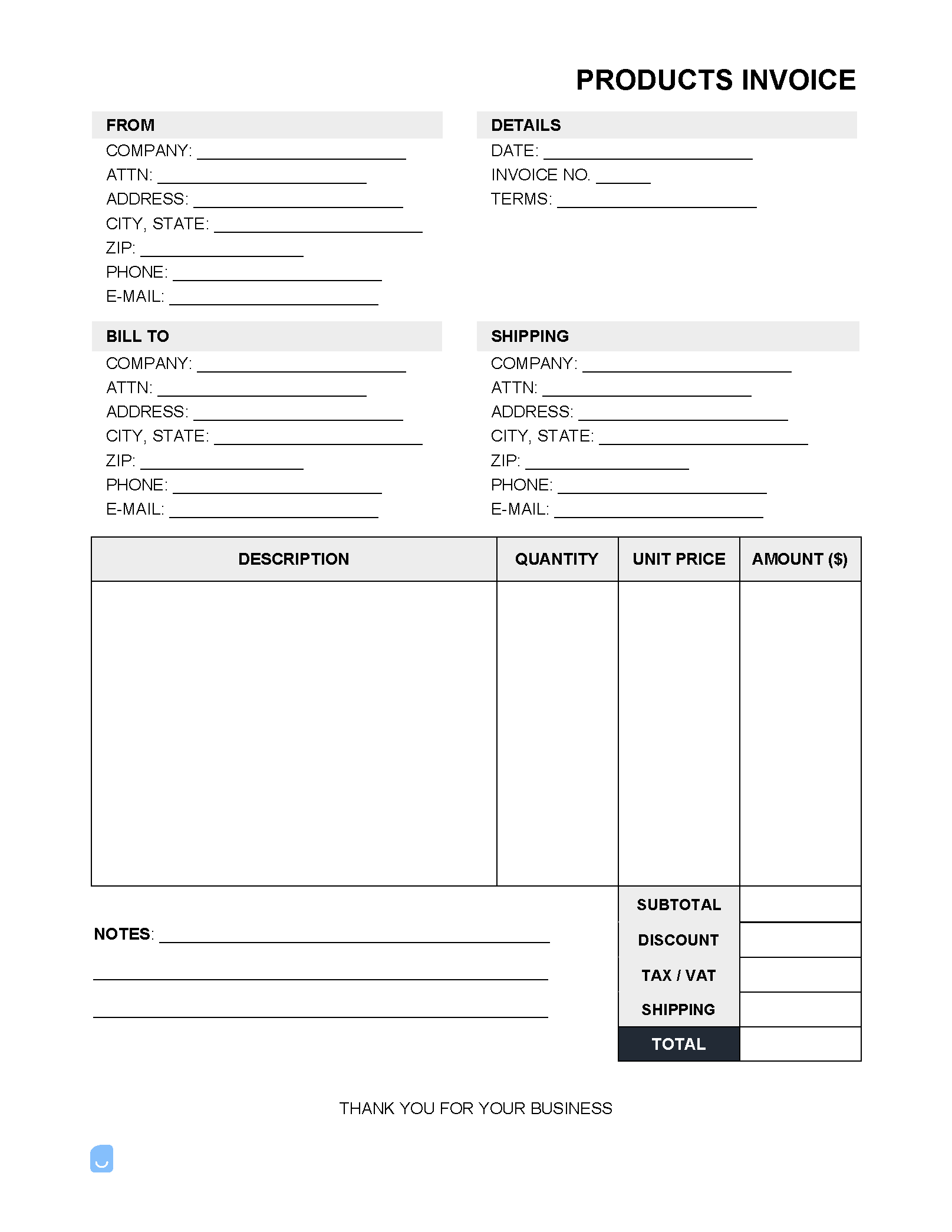
A products-only invoice is a billing document requesting payment from a business or customer for the sale of one (1) or several products. The line items included in the form detail a description of the products, the quantity, the price-per-item, and any additional add-on fees such as shipping.
 PDF,
PDF,  Excel &
  Word) or create one online!
What is a Product Invoice?
A product invoice is an official billing form used to collect payment for the selling (and potentially shipping) of partial or finished products to customers. Product invoices are frequently used among B2B (Business-to-Business) companies for tracking large orders of a product. Examples can include grocery stores purchasing produce, computer manufacturers ordering parts for an assembly line, or sporting goods requesting new ski jackets. In addition to being used for B2B dealings, many small businesses issue invoices for B2C (Business-t0-Consumer) sales, such as an individual ordering an appliance (without installation) or purchasing an expensive item that allows the customer to pay at a later date or in partial payments.
What is Included in a Product Invoice?
To ensure the invoice contains the necessary information needed to allow a client to make a timely and correct payment, as well as to secure a means of contact for both parties, the product-only invoice should contain the following information:
- Names of the parties
- Addresses, phone numbers, and emails of the buyer and seller
- List of products sold (# of units + price of each)
- Shipping information (cost, tracking #, delivery company, etc.)
- Invoice terms (Net 14, Net 30, “1 week to pay”, etc.)
- Payment instructions for the buyer (e.g., “Pay by check to…”)
- Any notes regarding the order that the customer should know about
Not sure where to start? Learn the basics in our complete guide on how to create invoices before customizing your template.
Sample
FAQs
Yes. Our Products (ONLY) Invoice Template is completely free. No credit card required. No sign-up required to download or use. You are free to save it, edit it, or modify it to fit your needs.
Possibly. To edit an XLS or a Word document, you may need Microsoft Office installed on your computer. You can also possibly use Google Docs Online with your Google account
For help using Products (ONLY) Invoice Template, check out our resource at How to create invoices, which covers everything you need to know to make your own invoices.
If you just need to generate invoices online without downloading anything to your phone or computer you can use our Free Invoice Generator