
Screen Printing Work Order Template


(No Ratings Yet)
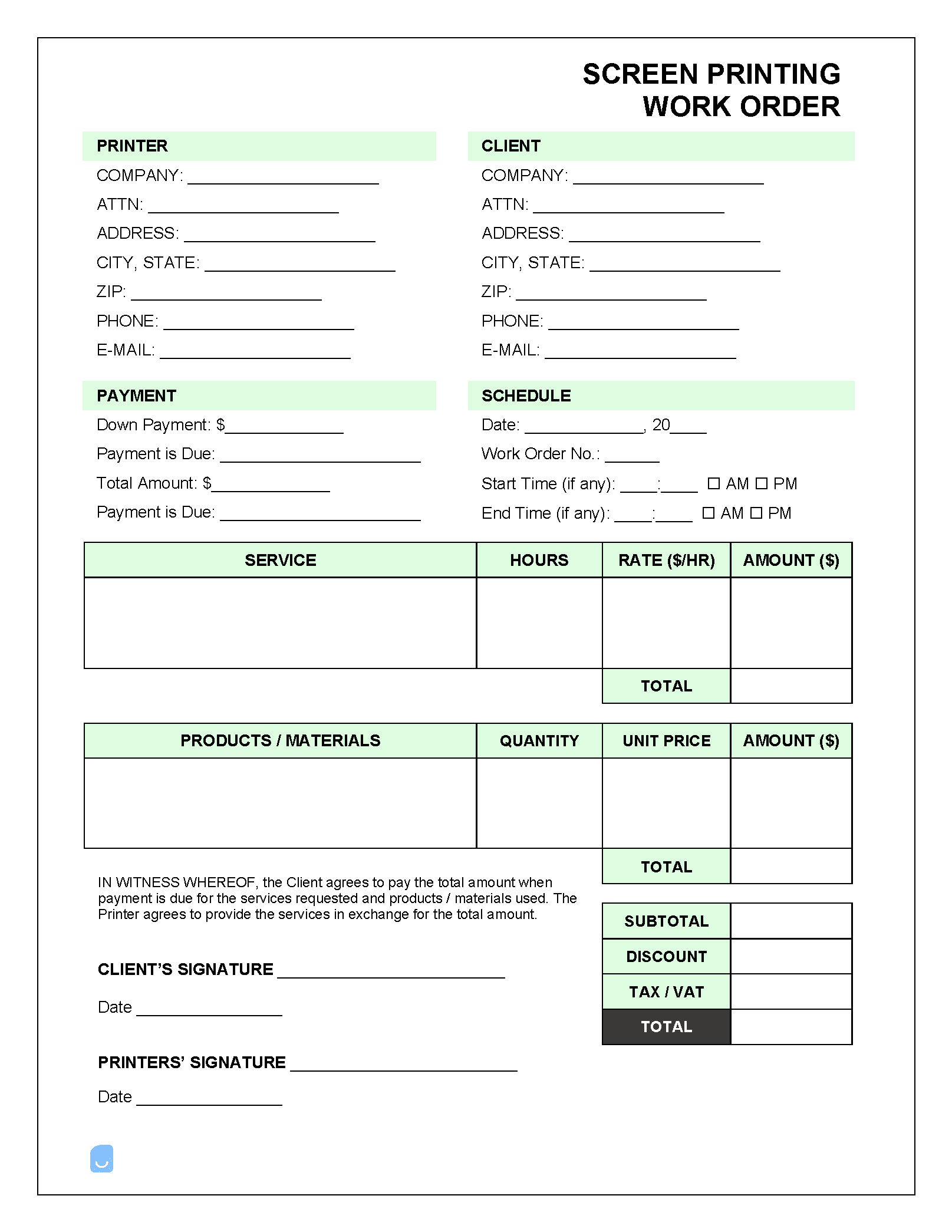
A screen printing work order is a form that is completed after a customer submits a request for a batch of custom-printed clothing. The form contains detailed information on the customer and their order to make it so the printer can complete the entire job without additional information (besides specs on the logo, slogan, picture, or other design requested by the customer).
 PDF,
PDF,  Excel &
  Word) or create one online!
What is a Screen Printing Work Order?
Screen printing companies both large and small need to have several pieces of information to successfully complete an order to the customer’s specifications. A work order serves to keep all of the information needed to a single form (excluding the designs). In general, the following should be included:
- Company details + logo
- Customer billing information + shipping address (if applicable)
- Order #
- Order date and job due date
- Garment / item info
- Style
- Colors (HEX codes)
- Sizes
- Quantity
- Cost per item
- Total costs
- A diagram to direct where the design will be placed (back of shirt, down the sleeve, etc.)
- Notes on the order / special requests
- An area for signature(s)
- Terms & conditions
The Work Order Process for Screen Printing
Once the company receives an order (either online or through the mail), an employee within the company (often in a supervisor role) will draft the official work order containing all of the necessary information to fulfill the customer’s request. The supervisor will then assign the job to a printer, a date in which work will need to begin (and finished by), and their signed name – officially approving the order. Once the printing has been finished, an invoice will be sent to the customer and the completed products will be either shipped to the customer or picked up in-person.
Not sure where to start? Learn the basics in our complete guide on how to create invoices before customizing your template.
Sample
FAQs
Yes. Our Screen Printing Work Order Template is completely free. No credit card required. No sign-up required to download or use. You are free to save it, edit it, or modify it to fit your needs.
Possibly. To edit an XLS or a Word document, you may need Microsoft Office installed on your computer. You can also possibly use Google Docs Online with your Google account
For help using Screen Printing Work Order Template, check out our resource at How to create invoices, which covers everything you need to know to make your own invoices.
If you just need to generate invoices online without downloading anything to your phone or computer you can use our Free Invoice Generator